Nov 18, 2026
Here’s what we’ve been working on over the past few weeks to make daily logging easier.
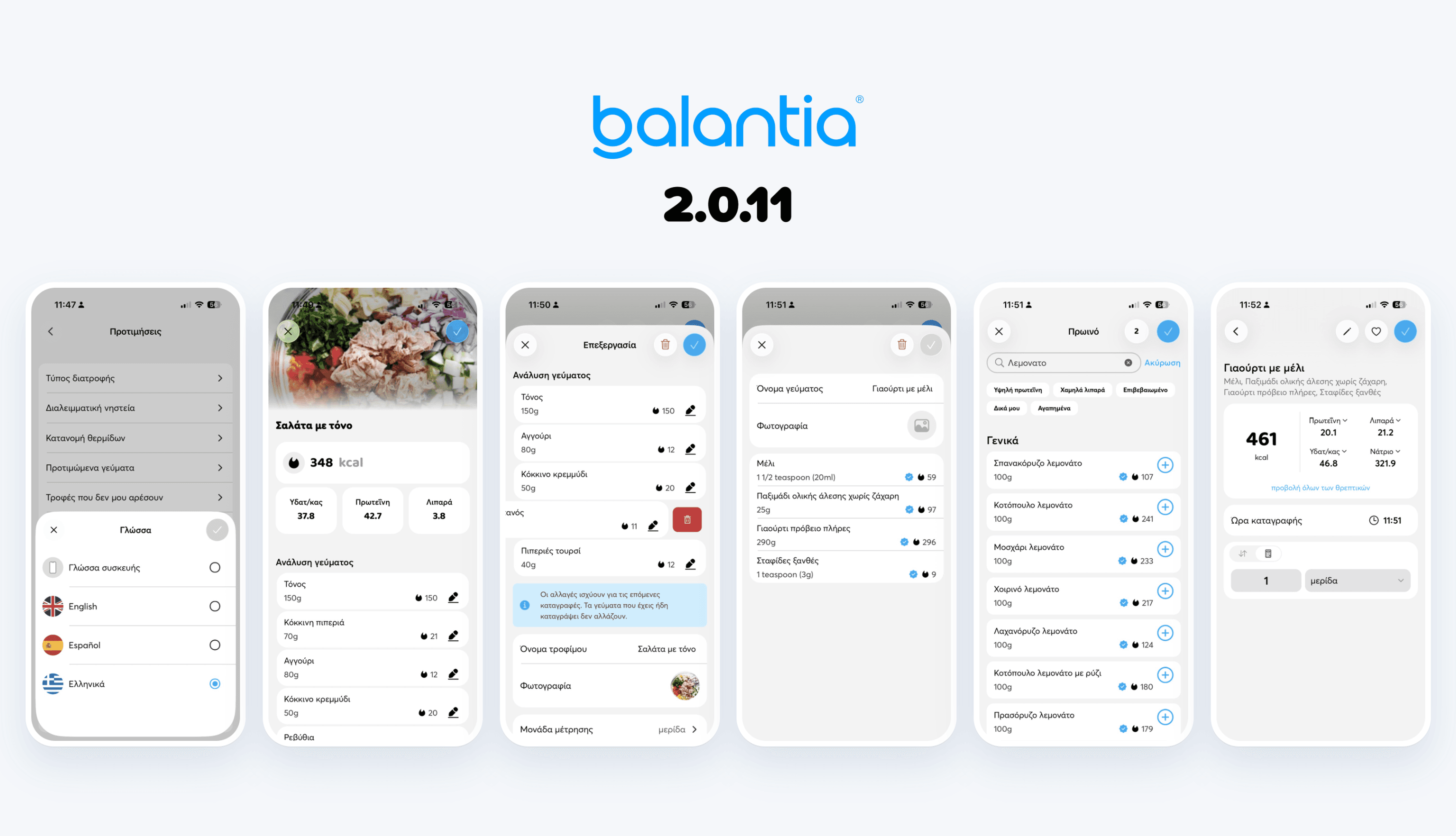
The app no longer has to follow your phone’s language. Go to Preferences → Language and pick Greek, English or Spanish. The switch happens right away, with no restart.
The language you pick also covers food names, units and “Build your own” foods, not just the menus.
Saved meals are now as easy to change as a single entry. Tap an ingredient to change its amount or unit, the same way you edit any food. Swipe it left to take it out of the meal.
Changes apply to your next entries of that meal. Anything you have already logged stays as it is.
When you photograph a dish, you now see its analysis: which foods we recognized and how much of each. Fix an amount, remove anything that wasn’t on the plate, and give the meal the name you want.
The analysis is saved with the food, so you can fix it later from My foods.
Search results now show the foods people log most often in your country first, so what you’re looking for is usually near the top. Searching in Greek also finds “Build your own” foods in any app language.
We’ve made meal preferences (breakfast, lunch, dinner) multi-select, so you can pick every option that fits you.
We’ve added typing for amounts: besides the wheel, you can now type the number of servings or units directly.
We’ve made Help open your conversations with our support team directly.
We’ve made long names editable in My foods.
We’ve updated the foods database with new foods.
We now ask for a sugar type when you pick a sweetness level in “Build your own”, so calories come out right.
We fixed how salt and sodium are saved on foods from an AI scan.
Favorites no longer disappear when you change the amount or unit. A favorite is the food itself, not the amount.
We fixed swipe-to-delete inside pop-up screens on iOS.